
Hit, I installed Raxx’s Necro Loot filter, and I don’t know how to use it. I know how to use the affixes stuff that’s easy, but there is so many stuff involved with the loot filter like he set his stuff weird… I just want a simple LF.
Raxx makes Universal Loot Filters each season, it leaves gaps (in all uppercase) to be filled in by you for your specific build. The upside is that this universal lootfilter has the same structure and setup for all of your builds. I think in S2’s video he explains in more details how to fill in the gaps:
- Raxx Universal LF S3
- Raxx Universal LF S2 (much more detailed)
If Raxx made a Necro specific loot filter, please let us know so we can have a look at it and the build.
Now if Raxx LF is too much a hassle for you, just go to the similar maxroll build and download the loot filter from there. Assuming “Raxx’s Necro” build is Abomination Necro:
- Go to maxroll builds: Endgame & Corruption Tier List - Last Epoch Maxroll.gg
- Select your build

- Scroll down to the Loot Filter section. Click the “Loot Filter” button:

- A popup appears. You set the desired strictness, but Regular is fine for now. Hit the “Generate” button:

- After clicking “Generate”, you now got the loot filter text in your clipboard (copy cache). Open LE and import the filter by adding a new Loot Filter and choose “Paste Clipboard Contents”:
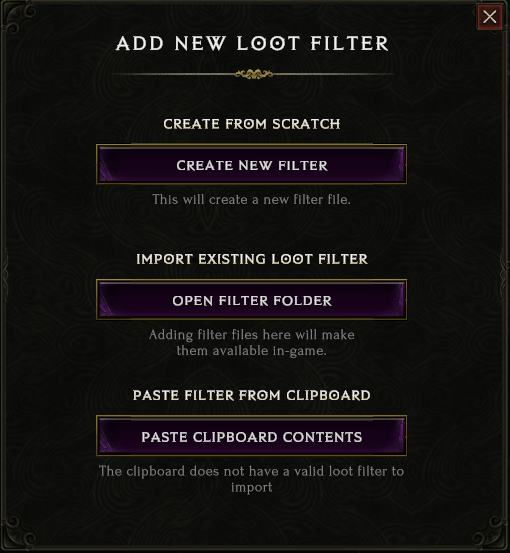
In the loot filter selection window you switch around different loot filters. The one selected is active.
2 Likes